Master Twitch: How to Show Streaming Like a Pro!
Unlock the secrets of professional Twitch streaming with our guide 'Master Twitch: How to Show Streaming Like a Pro!' Learn setup, engagement, and monetization tips.
Welcome to the world of Twitch streaming, where creativity meets technology and gaming enthusiasts, artists, and entertainers come together to share their passions. Whether you're a seasoned streamer or just starting, understanding how to show streaming on Twitch like a pro is crucial. It's not just about being good at a game or having an engaging personality; it's also about the technical setup, the community you build, and how you engage with your audience.
At Hollywood Dynamics, we recognize the allure and potential of Twitch as a platform for up-and-coming talent. That's why we've put together this comprehensive guide to help you navigate the complexities of streaming and establish a standout presence online. From selecting the right equipment to optimizing your stream settings, we're here to ensure your journey to Twitch streaming excellence is as smooth and successful as possible.
Ready to take your streaming to the next level? Visit our website to learn more and get started today! Click here.
Essential Equipment for High-Quality Twitch Streams
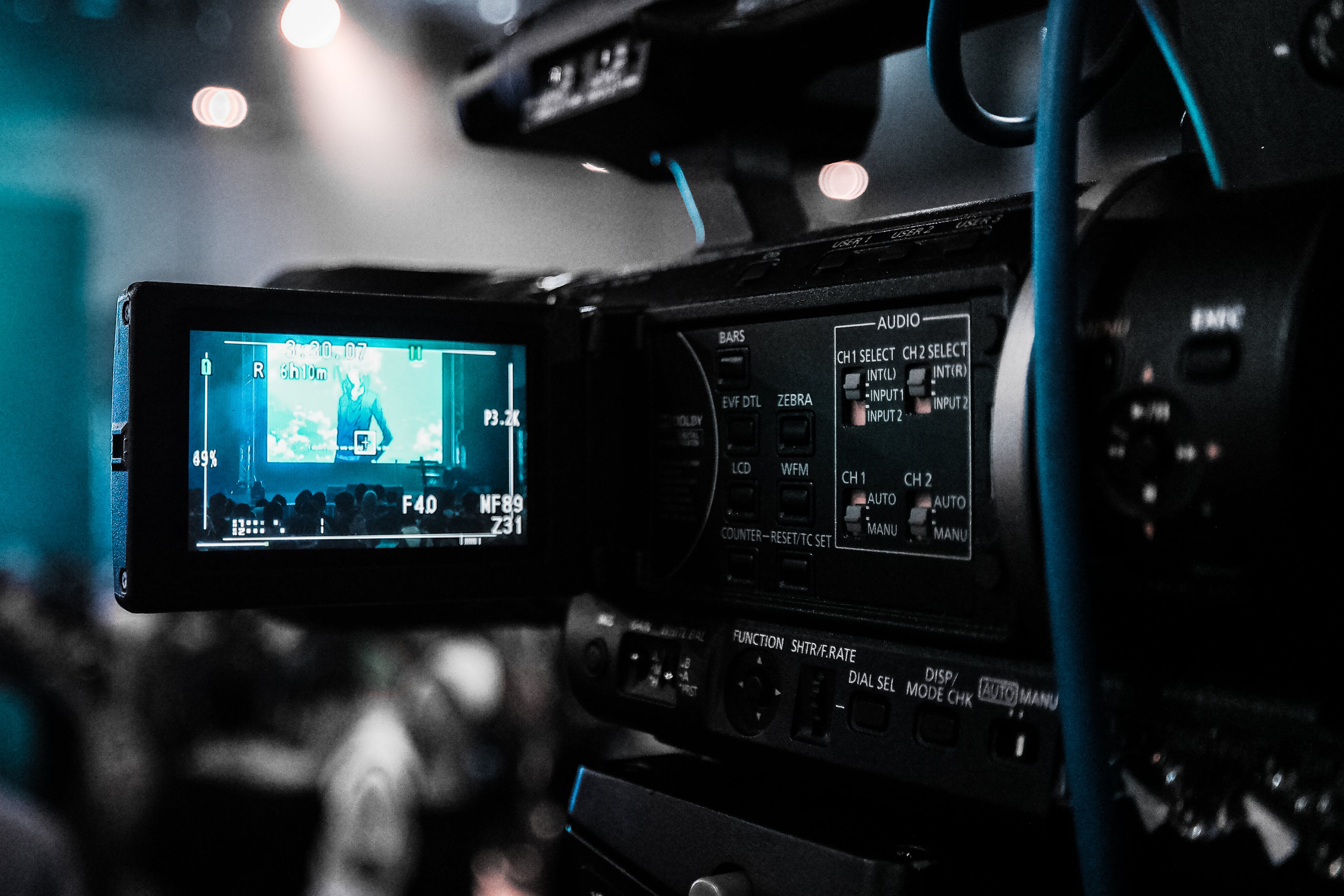
To embark on your streaming journey, it's imperative to invest in the right equipment. High-quality streams captivate audiences, and that starts with a solid hardware setup. Firstly, a powerful computer that can handle gaming and streaming simultaneously is a must. Look for a machine with a robust processor, ample RAM, and a dedicated graphics card to ensure smooth performance.
Next, visuals make a significant impact. A high-definition webcam and lighting are essential for clear, professional-looking video. Softbox lights or ring lights can help eliminate shadows and highlight your features. As for sound, viewers expect crystal-clear audio, which means a quality microphone is non-negotiable. Consider a condenser mic with a pop filter to minimize background noise and improve voice clarity.
Don't forget about the software. For broadcasting, OBS Studio or XSplit are popular choices among Twitch streamers for their versatility and control over the streaming process. For capturing gameplay, a capture card is particularly useful if you're streaming from a console.
Lastly, a strong internet connection is the backbone of any stream. Opt for a wired connection over Wi-Fi for more stability and invest in a high-speed internet plan to prevent lag and buffering during your streams. With the right equipment in place, you're well on your way to delivering professional-grade streams that can captivate and grow your audience.
Setting Up Your Twitch Channel for Success
Once you have the right equipment, setting up your Twitch channel for success is the next critical step. Begin by customizing your channel page with a catchy username and a visually appealing profile picture and banner that reflect your personal brand and content style. This visual identity will help viewers remember and recognize your channel easily.
Creating a compelling 'About Me' section is also crucial. Use this space to introduce yourself, describe what viewers can expect from your streams, and when you typically go live. This helps set expectations and builds a connection with your audience. Add a touch of personality to make your profile stand out.
Organizing your stream’s content is equally important. Utilize Twitch’s panels to categorize information such as your streaming schedule, social media links, and any sponsors or partnerships. Panels can be customized with images and text, giving your channel a professional and organized look.
Engagement is key on Twitch, so consider how you'll interact with your viewers. Set up a chatbot to help moderate your chat and add custom commands that viewers can use. This not only keeps the chat manageable but also adds an interactive element to your streams.
Finally, don't overlook the importance of networking. Engage with other streamers, participate in communities related to your streaming content, and support your peers. Collaborations and shoutouts can go a long way in expanding your reach and establishing your presence in the Twitch community.
Engaging Your Audience and Growing Your Twitch Community

Engaging your audience is the lifeblood of a successful Twitch channel. Active engagement can transform passive viewers into a loyal community. Start by addressing viewers by name when they join the chat or comment, which fosters a personal connection and makes them feel valued. Ask questions and encourage viewers to share their thoughts and experiences. This interactive dialogue creates a welcoming atmosphere that can keep viewers coming back.
Interactive games and channel rewards are excellent tools for keeping your audience involved. Twitch's Channel Points system allows viewers to earn points for watching and interacting with your stream. These points can be redeemed for rewards such as choosing the next game you play or asking you a question on stream. It incentivizes viewer participation and adds a fun, gamified layer to the viewing experience.
Consistency in your streaming schedule is another cornerstone for growing your community. A predictable timetable lets viewers know when to tune in, and regularity can lead to habit formation for your audience. Make sure to communicate any schedule changes in advance to maintain trust and reliability.
Hosting and raiding other streamers is a practice that can lead to mutual growth. When you send your viewers to another channel, it not only shows support for fellow streamers but can also introduce your channel to new audiences when others return the favor.
Social media should not be overlooked as a tool for engagement and growth. Use platforms like Twitter, Instagram, and Discord to announce stream times, share highlights, and continue conversations with your community off the Twitch platform. These interactions can deepen the connection with your audience and help attract new viewers to your Twitch channel.
Monetizing Your Twitch Stream Like a Seasoned Pro
Monetizing your Twitch stream is a significant step towards turning your passion into a profession. The platform offers several revenue streams that can be optimized to maximize your earnings. The Twitch Partner Program is a goal for many streamers, providing access to advanced monetization tools such as subscriptions, ad revenue, and Bits, which are virtual goods that viewers can purchase to cheer on their favorite streamers.
Subscriptions are a staple of Twitch monetization, offering viewers different tiers with various perks, such as ad-free viewing, exclusive emotes, and special chat badges. Personalizing these perks can encourage viewers to subscribe at higher tiers. Additionally, running subscription drives with specific goals and rewards can create excitement and boost subscriber numbers.
Advertising is another revenue path. Twitch automatically plays ads on your stream, but as a Partner, you have control over the frequency and timing of these ads. Strategic placement can ensure that ads do not disrupt the viewing experience while still generating income.
Donations and tips are direct ways for viewers to support streamers financially. Setting up a donation button through services like PayPal or using platforms like Patreon can provide viewers with an easy way to contribute. Be sure to acknowledge these contributions during your streams to show appreciation and encourage others to donate.
Merchandising offers an opportunity to extend your brand beyond the digital space. Selling branded apparel or accessories can not only serve as an additional revenue stream but also help promote your channel offline. Utilize services that handle production and shipping to simplify the process for you and your viewers.
Lastly, partnerships and sponsorships with gaming companies or brands can be lucrative. Establishing a strong brand and a dedicated audience can attract companies looking to promote their products to a targeted demographic. Always ensure that sponsored content aligns with your channel's values and community interests to maintain authenticity and trust with your viewers.
Advanced Tips and Tricks for Veteran Twitch Streamers
For veteran Twitch streamers, continuously evolving and adapting is crucial to stay ahead in the competitive streaming landscape. Advanced strategies involve deep analytics, community building, and technical enhancements to elevate the streaming experience. Utilizing third-party tools for analytics can provide insights into viewer behavior, helping to tailor content to the times and formats that resonate most with your audience.
Community engagement is paramount for sustained success. Establish a Discord server or other social media groups to foster a sense of belonging among your viewers. Host community events, such as game nights or Q&A sessions, to maintain high levels of interaction and loyalty. Another tactic is collaborating with other streamers. Not only does this expose your channel to a wider audience, but it also creates dynamic content that can refresh your stream's appeal.
From a technical perspective, enhancing your stream's production quality can make a significant impact. Invest in higher-end streaming equipment, like 4K cameras or professional lighting, to improve the visual and audio experience. Experiment with creative overlays and transitions using software like OBS Studio to add a polished, professional touch to your broadcast.
Remember, the Twitch algorithm favors channels that keep viewers on the platform longer. Crafting longer streams with engaging content can help increase your visibility. Consider developing serialized content that encourages viewers to return for each installment, creating a regular viewing habit.
Integration with other platforms can also be beneficial. Cross-promote your Twitch stream on platforms like YouTube or TikTok to capture diverse audiences. Repurpose stream highlights or create unique content for these platforms to drive traffic back to your main Twitch channel.
By implementing these advanced tips and tricks, veteran Twitch streamers can continue to grow their channels and enhance their brand. If you're ready to take your streaming to the next level, visit our website to learn more and get started today! Click here.